
Flappy Bird 2
Flappy Bird 2
Having trouble loading? Retry the game or use another option below.
Play next




Flappy Bird 2
- Rating:
- Not rated yet
- Platform:
- Browser
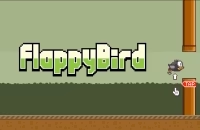
Flappy Bird 2 is a compact flying challenge built around the timing of a click or tap. The goal is to guide the bird through pipe openings, while the opening screen gives you a clear Get Ready prompt and a tapping gesture. Your immediate task is to connect an input with the bird's height instead of learning a set of movement keys. Begin with a short attempt, watch the vertical motion and leave yourself time to read what comes next. A steady, deliberate action is easier to study than a burst of frantic taps.
Explore more in Endless Runner.
Gameplay: Flappy Bird 2
The playfield starts with the bird and its tapping prompt visible. Click or tap to begin, then watch the bird's height before adding the next input. The opening gives you a simple practice loop: make an intentional action, watch the response and adjust the interval. Read the route as well as the bird. Do not judge an attempt only by how often you click, because the useful question is where the next action will leave you. When Get Ready returns, use it to begin another short attempt.
Show moreShow less
Key features of Flappy Bird 2
Click-or-tap interaction
Use a left mouse click or a touchscreen tap inside the game to begin and flap.
A clear opening prompt
Get Ready separates waiting from the attempt itself, so begin with a deliberate action rather than guessing movement keys.
Vertical timing practice
Watch how the bird's height changes after an input, and keep the next pipe opening in view before choosing when to act.
How to play Flappy Bird 2
Use the page's Play button, then the provider's visible Play control, to reach the actual game. Wait for Get Ready and TAP inside the playfield. Click with the left mouse button on desktop, or tap the game on a touch device. Watch the bird's height before adding another input, and use the visible pipe openings as your route rather than aiming at the edge of the screen. If Get Ready returns, take that opportunity to begin a fresh attempt. Keep clicks and taps inside the game area so they are not confused with the surrounding page controls.
Reach the playfield
Start the page player and the provider's Play control. Continue only when the actual Get Ready/TAP screen is visible.
Make a deliberate input
Click or tap inside the game. Observe the bird before repeating the action, rather than rapidly tapping through the opening prompt.
Read the next opening
Compare the bird's height with the visible route and adjust your input timing. When Get Ready returns, begin another short attempt.
Controls and device notes
| Action | Input | Notes |
|---|---|---|
| Start and flap on desktop | Left mouse click inside the playfield | Use the actual game canvas, not the outer thumbnail or page buttons. |
| Start and flap with touch | Tap inside the playfield | Keep taps within the vertical game area. |
Desktop
Use the left mouse button inside the actual game canvas rather than the outer thumbnail. Reach Get Ready before treating an input as a flap.
Mobile & touch
Tap inside the vertical playfield. Keep the game area and opening prompt readable, and use fullscreen if it helps on your device. Touch and fullscreen behavior depend on the browser.
Practical tips and mistakes to avoid
- Reach the Get Ready/TAP screen before treating an input as a flap; the provider cover has a separate Play button.
- Watch the bird's height after one action before deciding when to tap or click again.
- Keep your attention on the next visible opening as well as the bird, so the next action has a clear purpose.
- Use short attempts to compare input timing. If Get Ready returns, change one part of your rhythm rather than tapping more rapidly without observing the result.
Who might enjoy Flappy Bird 2?
This opening may suit players who enjoy a simple action with a timing challenge. The useful experiment is how the gap between inputs changes the bird's visible motion, rather than learning many different commands.
Why use this game page?
Player-first layout
The player and its loading status stay above the guide. Site advertisement slots are separate from the game controls.
Practical context
Use the contents links to find input instructions, device limitations and available game-specific notes without losing this page.
A relevant next step
Compare category and topic links, then choose another named game from the recommendations.
For a wider choice, browse the full browser-game catalog. A provider may apply its own cookies, ads or restrictions; read our privacy notes.
Questions about Flappy Bird 2
What is the aim of Flappy Bird 2?
Guide the bird through pipe openings. Start by learning how a click or tap changes its height, then read the space ahead before the next input.
How do I start the actual game?
Use the page Play button and the provider's own Play control. Once Get Ready and TAP appear in the playfield, click or tap inside that game area.
Can I use a touchscreen?
Tap inside the playfield to start and flap. Keep the actual game canvas in view rather than tapping the surrounding page; touch behavior can vary by browser and device.
What should I do when Get Ready appears again?
Begin another short attempt with a click or tap. Focus on one timing adjustment and watch the bird rather than responding with a burst of rapid inputs.